Pricing is one of the first things a client sees on a room page. Well-configured pricing attracts bookings; poorly configured pricing drives people away or generates questions.
Configuring pricing
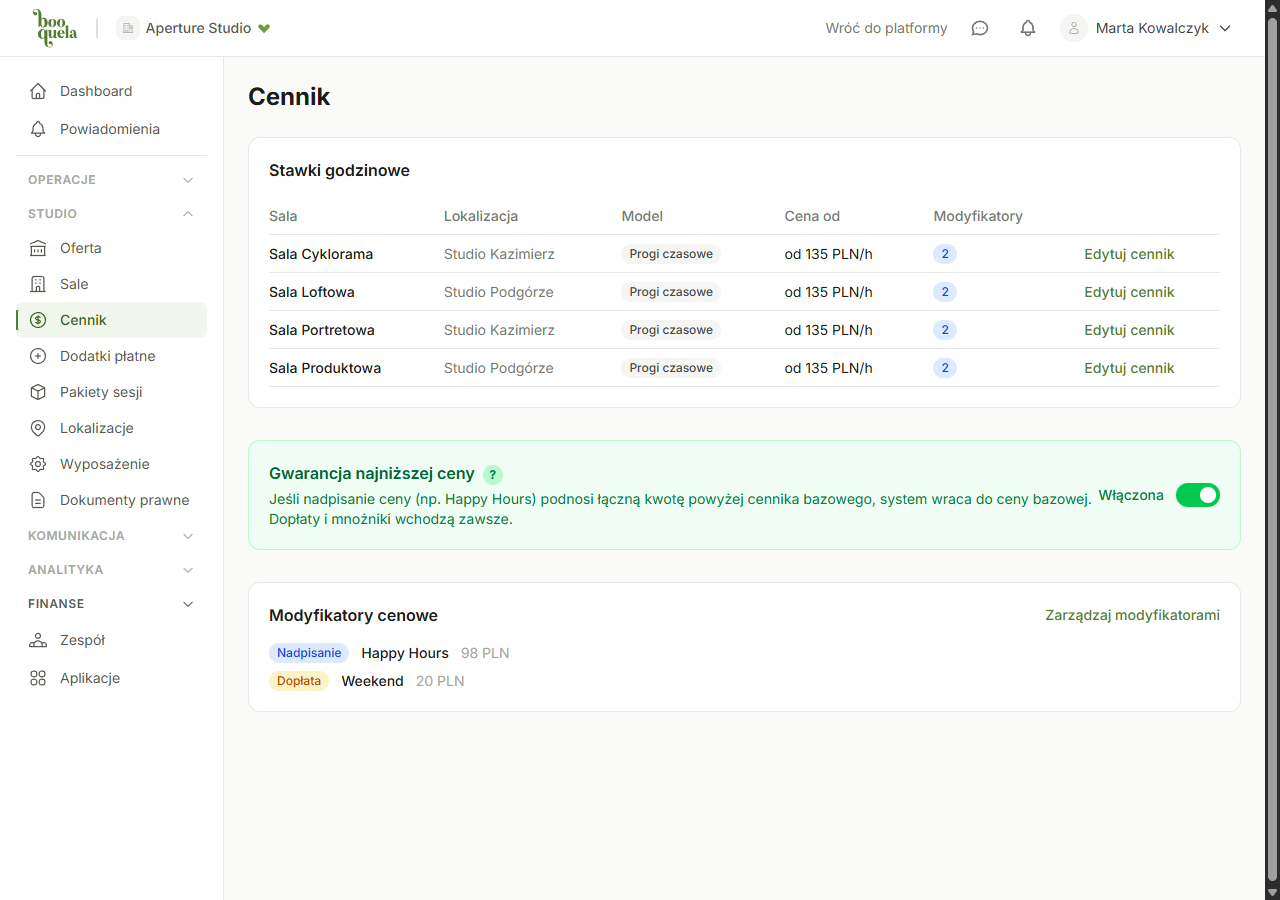
- Go to Owner Panel -> Pricing.
- Select a room from the list.
- Choose a pricing model (if you're not sure which, read the article about pricing models).
- Fill in the prices:
- Flat - enter the hourly price (e.g., 200 PLN)
- First hour - enter the first hour price (e.g., 250 PLN) and each subsequent hour (e.g., 180 PLN)
- Tiered - define tiers: hour ranges and the hourly price for each tier
- Fixed - define packages: duration and price for each package
- Save the pricing.
Configuration example - tiered pricing
Tomek runs a recording studio. He wants short sessions to be more expensive (more preparation work) and longer ones cheaper per hour:
- 1-2 hours: 250 PLN/h
- 3-4 hours: 200 PLN/h
- 5+ hours: 170 PLN/h
A client booking 3 hours pays 3 x 200 = 600 PLN (not 2 x 250 + 1 x 200).
Pricing vs. modifiers
Pricing is the base - the default price that applies by default. If you want different prices on weekends, evenings, or during peak season, use pricing modifiers (separate article). Modifiers layer on top of pricing; they don't permanently replace it.
A room must have pricing set up to be visible in search. Without pricing, clients won't be able to find it.
Common questions
Can I change the pricing?
Yes, at any time. The change only applies to new bookings - existing bookings keep the prices from when they were placed.
Are prices gross or net?
The prices you enter are gross - exactly what the client pays. If you run a VAT-registered business, include tax in the price.
I have two rooms with different prices. Is that OK?
Absolutely. Each room has its own pricing. A room with better equipment can cost more - clients understand that.
How can I check what the client will pay?
After saving pricing, open the room page as a client and try selecting hours. You'll see real-time price calculations.
Was this article helpful?
What could we improve?
Thanks! Your feedback will help us improve this article.