For clients to pay for bookings online, you need to connect a Stripe account. It's a one-time process - once configured, payments will be processed automatically.
Why Stripe
Booquela uses Stripe Connect - a secure payment system used by millions of businesses worldwide. Money from clients goes to your bank account, and you can see all transactions in the owner panel.
How to connect your account
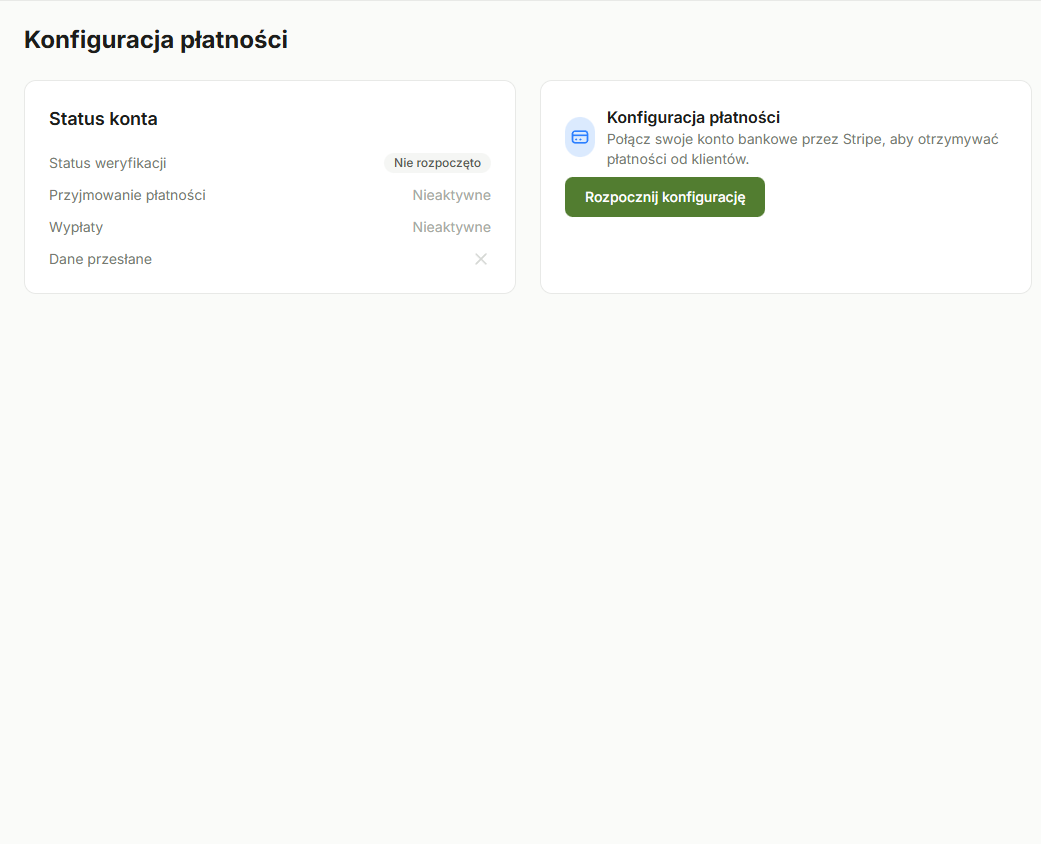
- Go to Owner Panel -> Finance -> Stripe Connect.
- Click Connect Stripe Account.
- You'll be redirected to the Stripe website where you'll fill in the verification form.
- After successful verification, you'll return automatically to the Booquela panel.
What information you'll need
Stripe will ask for:
- Personal or business details - name or company name, tax ID
- Bank account number - IBAN where payouts will be sent
- ID document - scan or photo of your ID (Stripe requirement)
What happens next
After connecting Stripe:
- Clients will be able to pay by card when booking
- Payouts go to your bank account automatically
- Transaction history is available in Owner Panel -> Finance
- A detailed Stripe dashboard is accessible via the link on the Stripe Connect page
Stripe verification usually takes a few minutes, but in some cases can take up to 24 hours. During this time, you won't be able to accept online payments. Start by connecting Stripe before you publish your studio.
Common questions
Do I need a registered business?
No. Stripe supports both individuals and businesses. Fill in the form according to your situation.
Can I change my bank account?
Yes, at any time through the Stripe dashboard. You'll find the link to the Stripe dashboard on the Stripe Connect page in the owner panel.
What if verification fails?
Stripe will show what information is missing. Complete it and try again. If the problem persists, contact us - we'll help.
Was this article helpful?
What could we improve?
Thanks! Your feedback will help us improve this article.